Text message safety
How to spot a text message scam before you tap
Recognize suspicious texts, verify the story without using the message, and know what to do if you already clicked or replied.
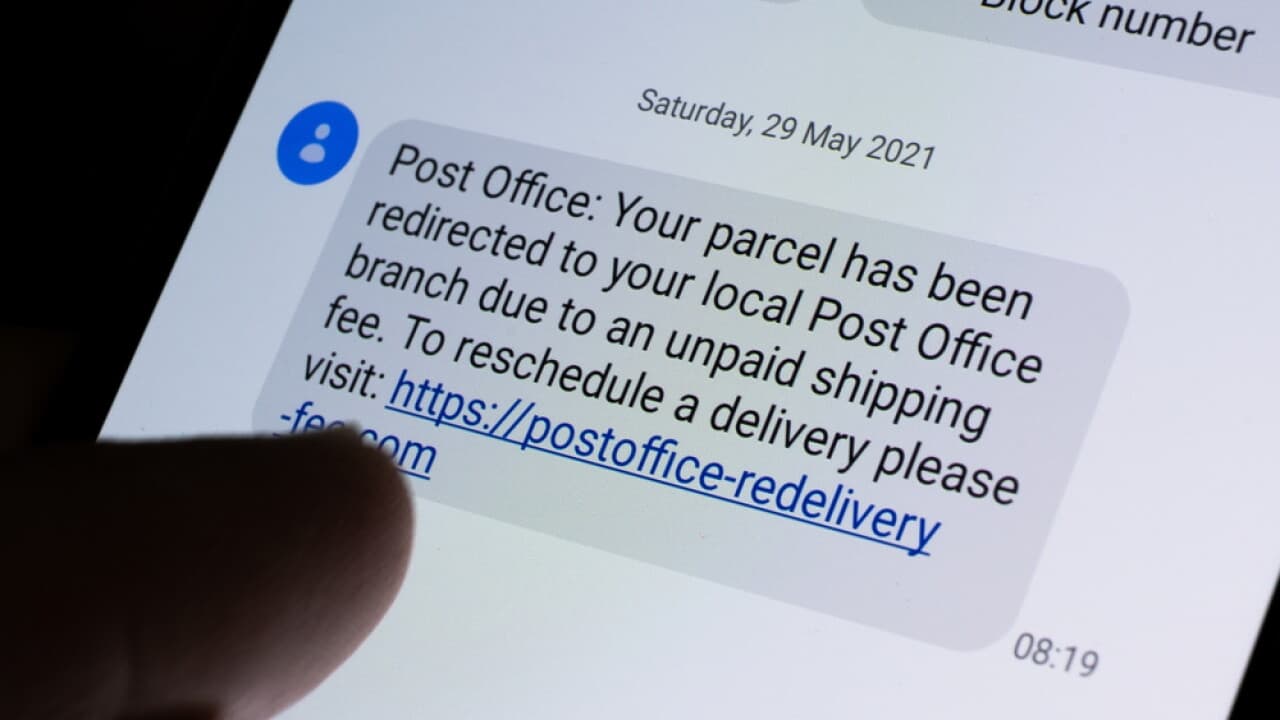
Text scams work by making a normal decision feel urgent. A delivery is delayed. A bank account is locked. A toll is overdue. The message asks you to react before you have time to verify the story.
Why a familiar text can still be dangerous
Scammers can copy a company name, use a local-looking number, and build a convincing login page. A familiar logo or believable story is not proof. According to the Federal Trade Commission, consumers reported losing $470 million to scams that started with text messages in 2024, more than five times the reported losses in 2020.
Read the FTC data spotlightWhat are the warning signs of a text message scam?
Some scam texts contain awkward grammar or strange web addresses. Others are polished. The more reliable clue is what the sender wants you to do next. Be cautious when a message asks you to act immediately, leave the app you trust, disclose a code or password, or move money using an unusual payment method.
Manufactured urgency
“Act now,” a threatened fee, or an account closure is meant to shorten your decision time.
An unfamiliar destination
The link or callback number is different from the one shown in the official app, website, or card.
A request for secrets
Passwords, verification codes, card details, and Social Security numbers should never be sent by text.
An unusual payment
Gift cards, cryptocurrency, wire transfers, and “safe account” transfers are strong warning signs.
Five common text message scams
Package delivery
A small redelivery fee or address problem creates an easy reason to tap.
Bank fraud alert
A fake warning pushes you to call a number controlled by the scammer.
Unpaid toll
A threatened late fee turns a small claimed debt into an urgent payment.
Unexpected job
Easy remote work becomes a request for personal information or your own money.
Wrong number
A friendly mistake becomes a longer relationship, often leading to an investment pitch.
What should you do with a suspicious text?
Do not tap, call, or reply. Any contact method inside the message may lead back to the scammer.
Verify another way. Open the company's app, type its known website yourself, or use the number on your card.
Check the evidence. Look at the sender, destination, pressure language, and what information the message requests.
Report and remove it. Use your phone's report-junk option, forward the text to 7726, and report fraud to the FTC.
Verify the story without using the message
If the text might be legitimate, open the organization's official app yourself. You can also type the known website into your browser or call a number printed on your bank card, statement, or bill. Do not use the link, phone number, or contact details supplied in the suspicious message, even when the sender tells you that doing so is the only way to fix the problem.
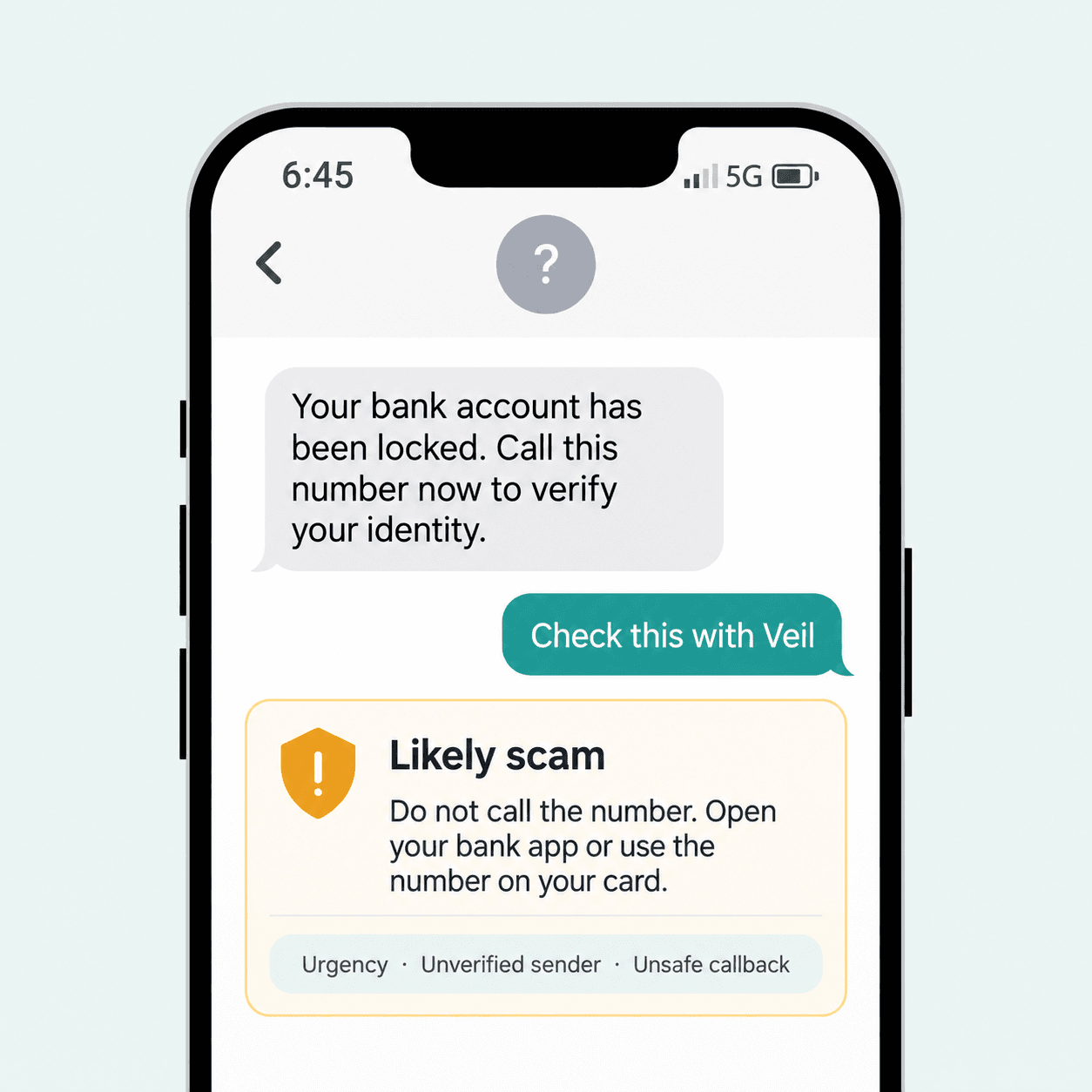
How Veil helps
Veil checks more than tone. It can combine message patterns, extracted links, URL reputation, sender context, and semantic analysis into one evidence-backed recommendation. You get a verdict, the reasons behind it, and the safest next action.
What should you do if you already clicked or responded?
Stop communicating with the sender. If you entered a password, change it from the real service and turn on two-factor authentication. If you shared payment details or sent money, contact the financial institution using a trusted number immediately. Save the message and transaction details for your report.
If someone tells you to move money to a “safe” account, buy gift cards, or share a verification code, stop. Those are strong scam signals.
Make the next suspicious text easier to handle
Turn on message filtering. Apple Messages and Google Messages can separate or block many unknown senders.
Use unique passwords. A password manager limits the damage if one account is compromised.
Enable two-factor authentication. Prefer an authenticator app or security key when the service supports it.
Keep your phone updated. Security updates close known weaknesses in the operating system and apps.
Talk about scams before one arrives. Agree that anyone in the family can pause and ask for help without embarrassment.
How to report a text message scam
Use “Report Junk” in Apple Messages or “Report spam” in Google Messages. You can also forward the text to 7726, which spells SPAM, and submit a report at ReportFraud.ftc.gov. Reporting helps carriers and investigators recognize campaigns that target other people.
Report fraud to the FTCCheck the message before you act.
Use Veil free with no account, or share it with someone you want to help protect.